

How these were measured
Two pictures from this site: the photograph on the front page (1800 × 900) and a screenshot of the front page's top (1366 × 900, text, buttons and a photo). Each was encoded by Chromium's own JPEG encoder — the one this site's Browser setting uses — at quality 95, 82 and 60, decoded again, and compared with the original over every pixel. The crops below are 60 × 40 pixels from the busiest part of each picture, enlarged four times without smoothing.
The photograph
| Quality | File size | PSNR |
|---|---|---|
| 95 | 326.0 KB | 50.2 dB |
| 82 | 183.0 KB | 40.8 dB |
| 60 | 112.0 KB | 37.8 dB |
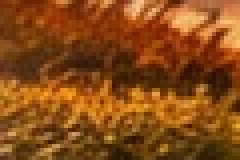
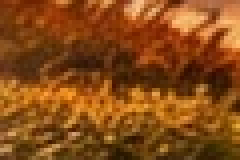
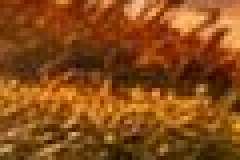
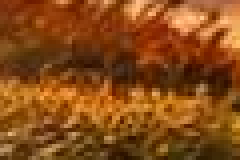
From 95 to 82 the file is 44% smaller and the crop barely changes; from 82 to 60 it shrinks another 39%, and fine grass starts to merge into eight-pixel blocks. That curve — big savings first, visible damage later — is why 82 is this site's Standard preset.
The screenshot
| Quality | File size | PSNR |
|---|---|---|
| 95 | 211.5 KB | 42.9 dB |
| 82 | 130.2 KB | 38.8 dB |
| 60 | 87.1 KB | 34.9 dB |




Even at 95 the screenshot measures 7 dB below the photograph: hard edges and flat colour are exactly what JPEG is worst at, and the browser encoder also stores colour at quarter resolution. For screenshots, a PNG is often the better file; when it must be a JPG, the Precise encoder with 4:4:4 subsampling helps — see chroma subsampling.
Letting each photo choose
The converter's Measured mode does this measurement on your own files: each one gets the lowest quality that still keeps 40 dB (or 36 or 44, as you choose), found by encoding and decoding it. A plain sky ends up lower than a gravel path, and both look the same to the eye. The size curve in the Quality panel shows the trade for the selected photo before anything is saved.
Questions
What quality should I use?
What is PSNR?
Is quality 82 in one program the same as 82 in another?
Can I raise the quality of a JPG afterwards?
Photos stay on your device.